Support PIN is a six-digit code linked to your account. It allows our support team to quickly identify you when you contact us by phone or via the website chat.
When is the PIN used
- Phone — provide your PIN at the start of the call
- Website chat — include your PIN in your first message
- Other channels — in cases where opening a ticket is not possible or convenient
A support ticket remains the preferred way to contact us — it creates a conversation history and does not require PIN-based identification.
How to view your PIN
- Log in to the client area: my.core.hosting
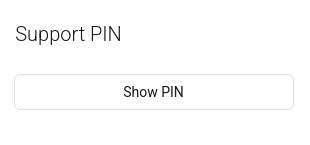
- On the Dashboard page, find the Support PIN block on the left
- Click the Show PIN button — your six-digit code will appear
- Provide this code when contacting support
How to change your PIN
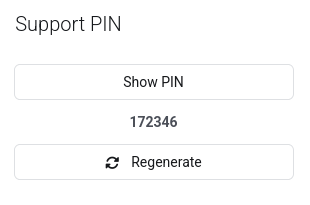
- Open the Support PIN block on the Dashboard page
- Click the Regenerate button
- The new code is active immediately — the old one stops working instantly
Change your PIN if you suspect the code has been exposed to a third party. There is no limit on how many times you can regenerate it.
Additional notes
- One account — one PIN. If you have multiple accounts, each has its own code.
- Only the current code is valid. After regeneration, the previous PIN is no longer accepted.
- No confirmation required. A new PIN works immediately after generation.